All categories


Online form builders offer a practical solution for small businesses that need to collect leads, process orders, or automate workflows. Whether you’re creating basic contact forms, polished lead-capture forms, or logic-driven order and pricing tools, the right platform depends on the level of flexibility and power you need.
The best online form builders in 2026 make it easy to build, customize, and embed forms without coding, while supporting different levels of logic, design, and scalability.
This updated guide compares seven leading tools based on features, customization, conditional logic, integrations, pricing, and real-world suitability for small businesses.
Key Takeaways: Best Online Form Builder
Convert_: Best if you need forms with branching decision trees, complex pricing models, and calculation power.
Jotform: For users who want to build from a template and don’t need powerful calculations.
Paperform: Those who want a beautiful interface and plenty of templates.
Typeform: Conversational forms with one question at a time.
Google Forms: Individuals who need free basic forms.
MS Forms: Simple forms with AI suggestions.
Formsite: Users focusing on encryption.
Best Form Builders at a Glance
Best For | Standout Features | Price (Monthly, USD) | |
Convert_ | Small businesses needing advanced logic, powerful calculations, and automation | FormulaScript calculations, complex conditional logic, unlimited users, high customization | Free (up to 100 visits), $20, $40, $100, $200 |
Jotform | Template-driven forms with strong data handling | Large template library, custom CSS, robust reporting | Free, $34, $39, $99, Enterprise (custom) |
Paperform | Design-focused forms with quick setup | 500+ templates, intuitive interface, conditional logic | $24, $49, $99, Enterprise (custom) |
Typeform | Conversational, one-question-at-a-time forms | Polished design, engaging UX | Free, $25, $50, $83 Enterprise (custom) |
Google Forms | Basic forms at low or no cost | Simple setup, Google Sheets integration | Free, $7, $14, $22 per user, Enterprise (custom) |
Microsoft Forms | Simple forms for Microsoft 365 users | AI question suggestions, Microsoft ecosystem integration | Included with 365, $6, $12.50, $22 per user |
Formsite | Secure forms with validation needs | Field-level encryption, strong input validation | $21, $34, $59, $84, $209 |
1. Convert_
Convert_ is designed for small businesses that need forms to do more than collect information. It supports complex calculations, decision logic, and automation across marketing and sales workflows.
ybNcpoMwsorgLEs4A
Pros
Complex decision branching with conditional logic
Advanced calculation engine using FormulaScript
Strong integration and automation capabilities
High level of customization with CSS
Can be embedded on any website
Unlimited users on all plans
Free forever plan available
Cons
Higher learning curve
Convert_ is particularly suited to use cases involving dynamic pricing quote forms, complex order forms, ROI calculator forms, and booking forms that rely on logic rather than static questions. Its calculation layer lets businesses process variables, datasets, and conditions in real-time.
Although Convert_ offers a range of templates, it requires more effort for certain use cases than other template-first tools. But the payoff is greater control over layout, branding, and functionality.
Convert_ also allows unlimited users on every plan, including the free tier, making collaboration easier for growing teams.
Pricing (Monthly, USD)
Free Forever: Full features up to 100 visits/month
Hobby: $20
Pro: $40
Premium: $100
Platinum: $200
2. Jotform
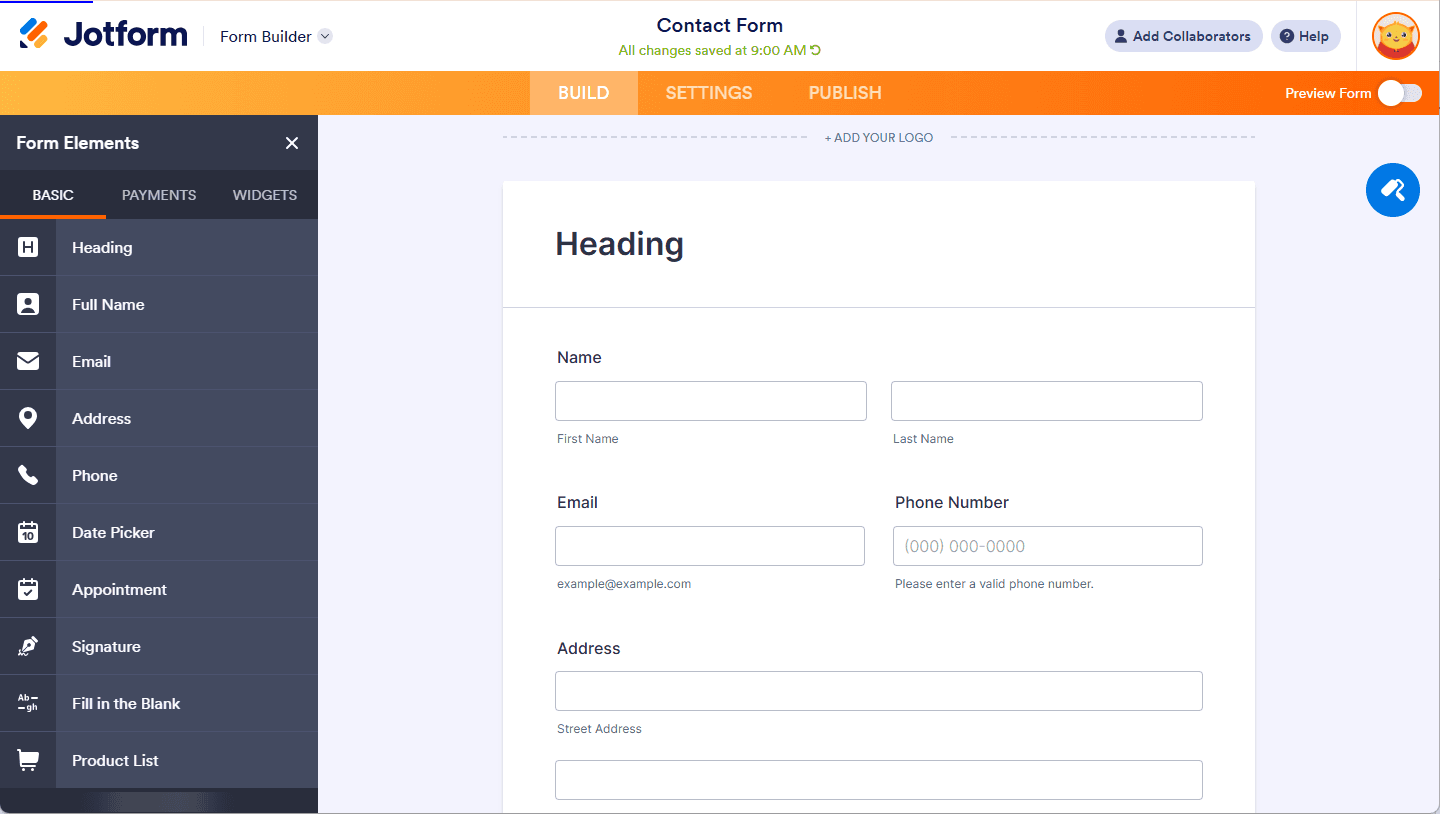
Jotform is a flexible form builder known for its extensive template library and strong data collection features.
Pros
Large template selection
Visual editor with deep customization
Supports custom CSS
Wide range of integrations
Strong data dashboards and reporting
Cons
Free plan is highly limited
Most plans restrict user count
Jotform works well for small businesses that want to build structured forms quickly using templates, while still having the option to customize styling and logic. Its data handling and reporting tools are strong, though calculation-heavy workflows are not its primary focus.
Pricing (Monthly, USD)
Starter: Free
Bronze: $34
Silver: $39
Gold: $99
Enterprise: Custom pricing
3. Paperform
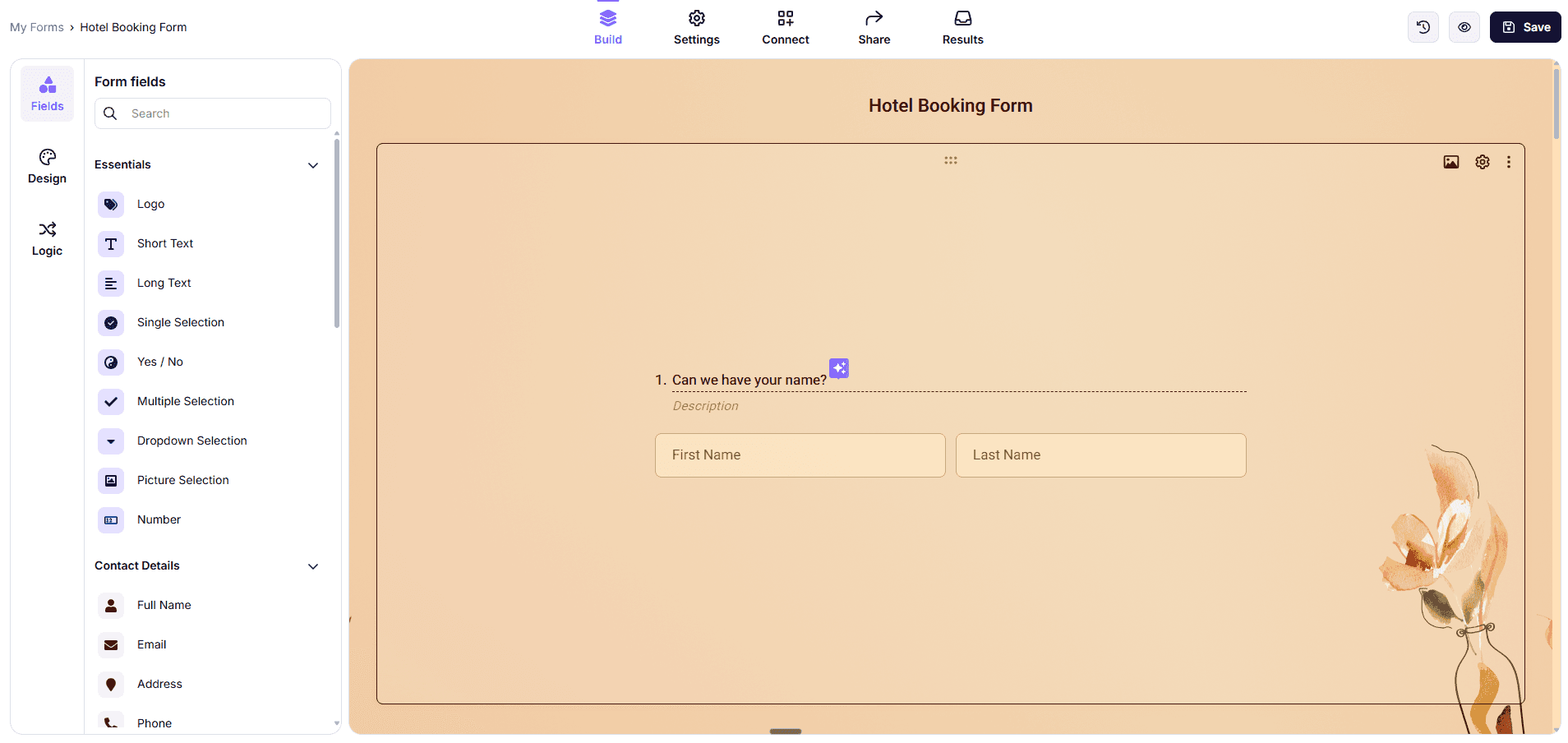
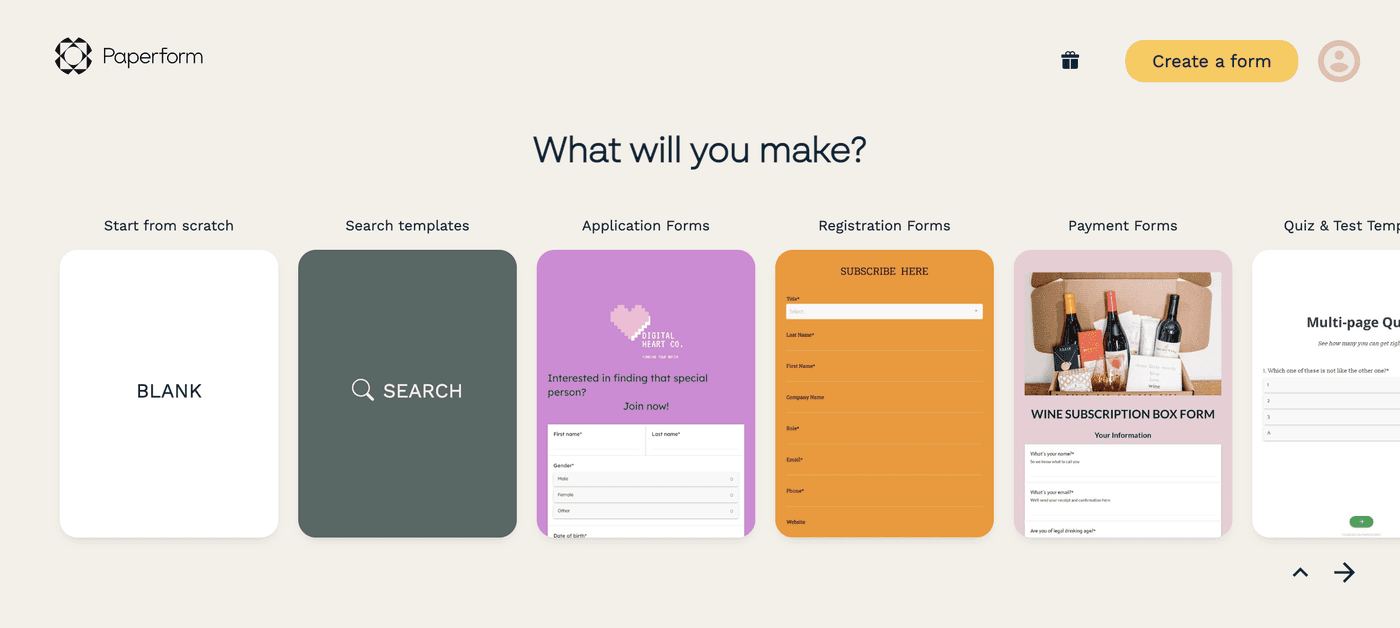
Paperform focuses on visual appeal and ease of use. The platform offers a polished interface and a large template library.
Pros
Clean, intuitive interface
Over 500 templates
Supports conditional logic
Basic reporting features
Cons
CSS customization only on higher-tier plans
User limits on lower tiers
Paperform is a good fit for businesses that prioritize design and want forms that look refined with minimal setup. While it supports logic and integrations, it is less suited to advanced calculation or data-heavy workflows.
Pricing (Monthly, USD)
Free: 1 user - 30 submissions/month
Essentials: $24
Pro: $49
business: $99
Enterprise: Custom pricing
4. Typeform
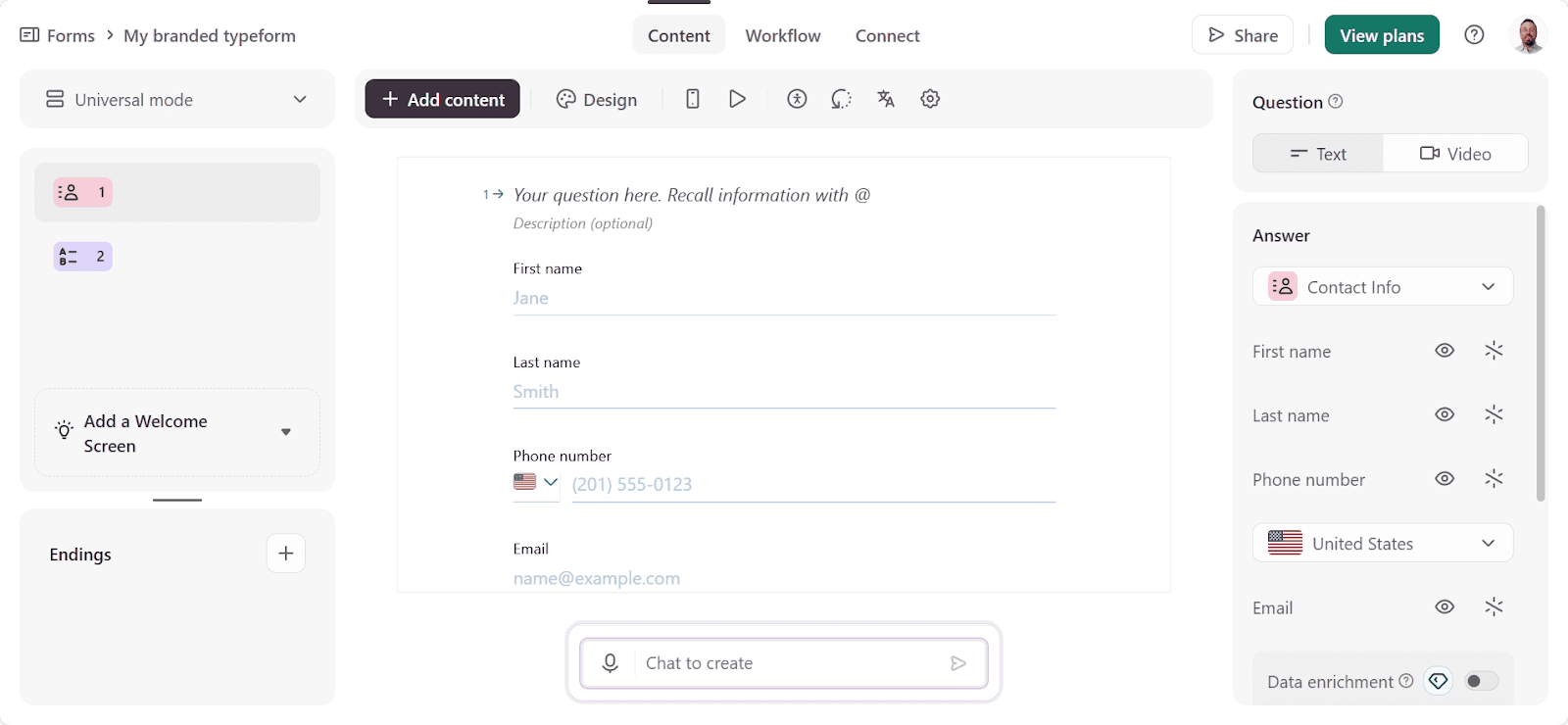
Typeform is an online form builder and survey tool. It has an attractive interface and is easy to use, with a simple drag-and-drop feature.
Typeform is known for its conversational, one-question-at-a-time form experience. Some view this approach as more conversational and engaging for users.
Pros
Engaging, conversational format
Strong out-of-the-box design
Good user experience for respondents
Solid analytics for completion rates
Cons
Limited calculation and logic depth
Very restricted free plan
No CSS customization
Typeform works well for surveys, feedback forms, and lead capture, where presentation and flow matter more than automation or calculations. It is less flexible for complex business logic.
Pricing (Monthly, USD)
Basic: $25
Plus: $50
Business: $83
Enterprise: Custom pricing
5. Google Forms
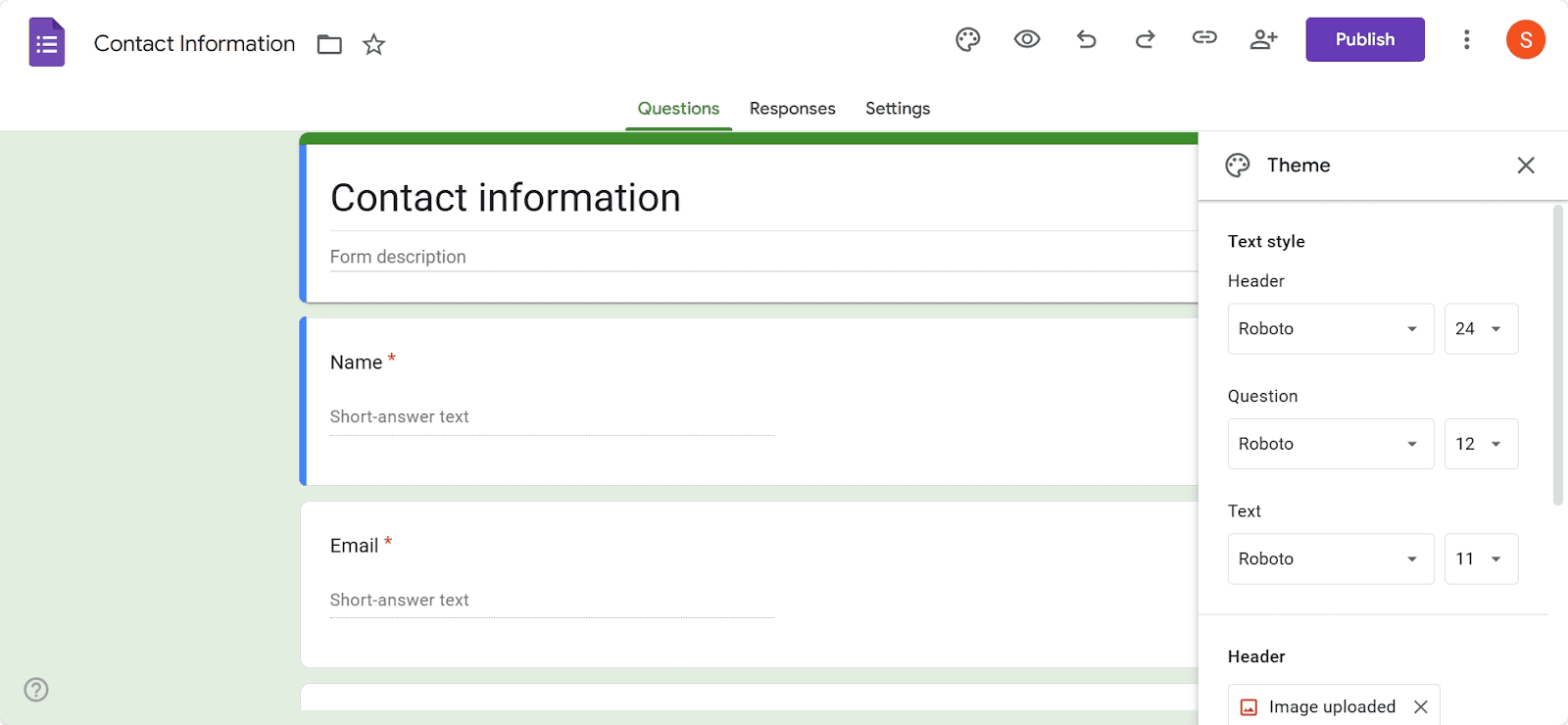
Google Forms is a free online form builder. It's an excellent free option for creating basic forms and has some good features.
With Google Forms, users miss out on advanced design features and question types. But it's easy to use and integrates seamlessly with other Google tools like Sheets and Drive.
Google Forms is a simple and accessible option for creating basic forms.
Pros
Free for individual use
Easy to set up
Integrates with Google Sheets
Part of the Google ecosystem
Cons
Very limited customization
Basic conditional logic only
Google Forms is best suited for individuals or very small teams that need simple data collection at no cost. It lacks the advanced features required for more complex business workflows.
Pricing (Monthly, USD)
Free (individual use)
Starter: $7 per user
Standard: $14 per user
Plus: $22 per user
Enterprise: Custom pricing
6. Microsoft Forms
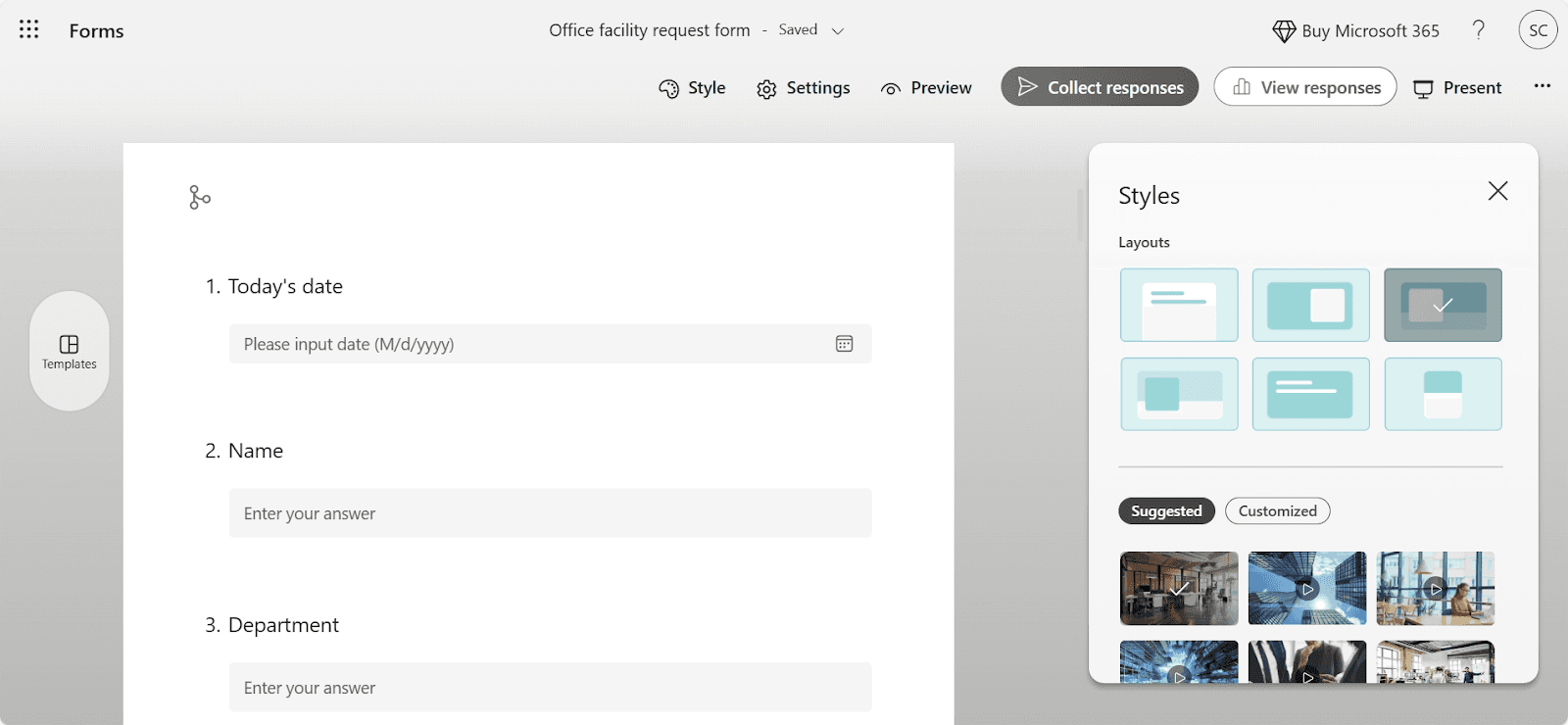
Microsoft Forms is included with Microsoft 365 subscriptions and focuses on ease of use. As you might imagine, it combines well with Excel, so you can view all the data from responses in a spreadsheet.
Microsoft Forms takes advantage of AI for creating form questions. You can get suggestions and add questions with a single click if you like them.
Pros
AI-assisted question suggestions
Clean visuals and themes
Included with Microsoft 365
Simple setup
Cons
Limited integrations outside Microsoft tools
Microsoft Forms is suitable for businesses already using Microsoft products that want basic forms without additional software costs. The forms are simple to set up, especially if you’re familiar with other Microsoft products, and you can get them built and in front of people quickly.
Pricing (Monthly, USD)
Included with Microsoft 365
Business Basic: $6 per user
Business Standard: $12.50 per user
Business Premium: $22 per user
7. Formsite
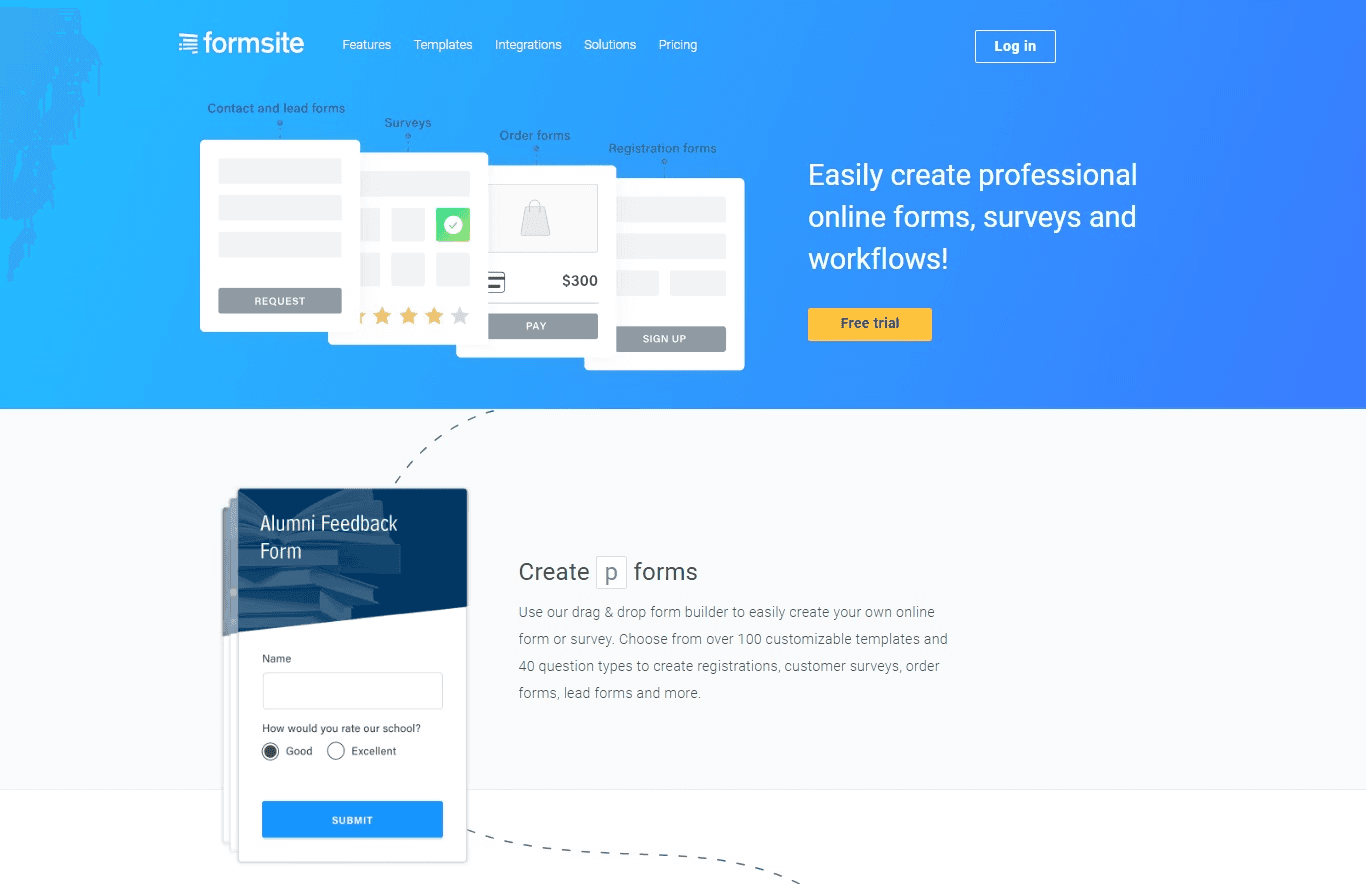
Formsite emphasizes security and input validation. It’s a sound choice for businesses handling sensitive information.
Pros
Strong validation features
Field-level encryption
Simple interface
Cons
Basic design tools
Limited visual customization
Formsite is useful for businesses handling sensitive data that requires encryption and validation, though it offers fewer design and automation features than other tools.
Pricing (Monthly, USD)
Free: 14-day trial
Personal: $21
Professional: $34
Business: $59
Business +: $84
Enterprise: $209
How Do Convert_Forms Help Companies?
Goodhart Coffee used Convert_ to replace a manual quoting and booking process with an automated calculator form.
They embedded the booking form into their website. Now, their customers can input their requirements and receive instant feedback on availability and pricing.
With the embedded form, Goodhart Coffee:
Doubled bookings
Saved 40 hours/week on quoting
Our calculation-driven forms can remove operational friction while increasing conversions.
Final Verdict
Each of these tools serves a different purpose. If your business needs powerful calculations, decision logic, automation, or scalable workflows, Convert_ is your best option. It provides the most flexibility when forms need to deliver instant, data-driven outcomes rather than static submissions.
Use Convert_ if you need branching decision trees, complex pricing models, and calculation power.
Use Jotform if you want template-driven forms with strong data handling.
Use Paperform if you want visually polished forms with minimal setup.
Use Typeform if presentation and conversational flow are your priority.
Use Google Forms if you need basic forms at no cost.
Use Microsoft Forms if you’re already invested in Microsoft 365.
Use Formsite if data security is your main concern.
Online form builders offer a practical solution for small businesses that need to collect leads, process orders, or automate workflows. Whether you’re creating basic contact forms, polished lead-capture forms, or logic-driven order and pricing tools, the right platform depends on the level of flexibility and power you need.
The best online form builders in 2026 make it easy to build, customize, and embed forms without coding, while supporting different levels of logic, design, and scalability.
This updated guide compares seven leading tools based on features, customization, conditional logic, integrations, pricing, and real-world suitability for small businesses.
Key Takeaways: Best Online Form Builder
Convert_: Best if you need forms with branching decision trees, complex pricing models, and calculation power.
Jotform: For users who want to build from a template and don’t need powerful calculations.
Paperform: Those who want a beautiful interface and plenty of templates.
Typeform: Conversational forms with one question at a time.
Google Forms: Individuals who need free basic forms.
MS Forms: Simple forms with AI suggestions.
Formsite: Users focusing on encryption.
Best Form Builders at a Glance
Best For | Standout Features | Price (Monthly, USD) | |
Convert_ | Small businesses needing advanced logic, powerful calculations, and automation | FormulaScript calculations, complex conditional logic, unlimited users, high customization | Free (up to 100 visits), $20, $40, $100, $200 |
Jotform | Template-driven forms with strong data handling | Large template library, custom CSS, robust reporting | Free, $34, $39, $99, Enterprise (custom) |
Paperform | Design-focused forms with quick setup | 500+ templates, intuitive interface, conditional logic | $24, $49, $99, Enterprise (custom) |
Typeform | Conversational, one-question-at-a-time forms | Polished design, engaging UX | Free, $25, $50, $83 Enterprise (custom) |
Google Forms | Basic forms at low or no cost | Simple setup, Google Sheets integration | Free, $7, $14, $22 per user, Enterprise (custom) |
Microsoft Forms | Simple forms for Microsoft 365 users | AI question suggestions, Microsoft ecosystem integration | Included with 365, $6, $12.50, $22 per user |
Formsite | Secure forms with validation needs | Field-level encryption, strong input validation | $21, $34, $59, $84, $209 |
1. Convert_
Convert_ is designed for small businesses that need forms to do more than collect information. It supports complex calculations, decision logic, and automation across marketing and sales workflows.
ybNcpoMwsorgLEs4A
Pros
Complex decision branching with conditional logic
Advanced calculation engine using FormulaScript
Strong integration and automation capabilities
High level of customization with CSS
Can be embedded on any website
Unlimited users on all plans
Free forever plan available
Cons
Higher learning curve
Convert_ is particularly suited to use cases involving dynamic pricing quote forms, complex order forms, ROI calculator forms, and booking forms that rely on logic rather than static questions. Its calculation layer lets businesses process variables, datasets, and conditions in real-time.
Although Convert_ offers a range of templates, it requires more effort for certain use cases than other template-first tools. But the payoff is greater control over layout, branding, and functionality.
Convert_ also allows unlimited users on every plan, including the free tier, making collaboration easier for growing teams.
Pricing (Monthly, USD)
Free Forever: Full features up to 100 visits/month
Hobby: $20
Pro: $40
Premium: $100
Platinum: $200
2. Jotform
Jotform is a flexible form builder known for its extensive template library and strong data collection features.

Pros
Large template selection
Visual editor with deep customization
Supports custom CSS
Wide range of integrations
Strong data dashboards and reporting
Cons
Free plan is highly limited
Most plans restrict user count
Jotform works well for small businesses that want to build structured forms quickly using templates, while still having the option to customize styling and logic. Its data handling and reporting tools are strong, though calculation-heavy workflows are not its primary focus.
Pricing (Monthly, USD)
Starter: Free
Bronze: $34
Silver: $39
Gold: $99
Enterprise: Custom pricing
3. Paperform
Paperform focuses on visual appeal and ease of use. The platform offers a polished interface and a large template library.

Pros
Clean, intuitive interface
Over 500 templates
Supports conditional logic
Basic reporting features
Cons
CSS customization only on higher-tier plans
User limits on lower tiers
Paperform is a good fit for businesses that prioritize design and want forms that look refined with minimal setup. While it supports logic and integrations, it is less suited to advanced calculation or data-heavy workflows.
Pricing (Monthly, USD)
Free: 1 user - 30 submissions/month
Essentials: $24
Pro: $49
business: $99
Enterprise: Custom pricing
4. Typeform
Typeform is an online form builder and survey tool. It has an attractive interface and is easy to use, with a simple drag-and-drop feature.
Typeform is known for its conversational, one-question-at-a-time form experience. Some view this approach as more conversational and engaging for users.

Pros
Engaging, conversational format
Strong out-of-the-box design
Good user experience for respondents
Solid analytics for completion rates
Cons
Limited calculation and logic depth
Very restricted free plan
No CSS customization
Typeform works well for surveys, feedback forms, and lead capture, where presentation and flow matter more than automation or calculations. It is less flexible for complex business logic.
Pricing (Monthly, USD)
Basic: $25
Plus: $50
Business: $83
Enterprise: Custom pricing
5. Google Forms
Google Forms is a free online form builder. It's an excellent free option for creating basic forms and has some good features.
With Google Forms, users miss out on advanced design features and question types. But it's easy to use and integrates seamlessly with other Google tools like Sheets and Drive.
Google Forms is a simple and accessible option for creating basic forms.

Pros
Free for individual use
Easy to set up
Integrates with Google Sheets
Part of the Google ecosystem
Cons
Very limited customization
Basic conditional logic only
Google Forms is best suited for individuals or very small teams that need simple data collection at no cost. It lacks the advanced features required for more complex business workflows.
Pricing (Monthly, USD)
Free (individual use)
Starter: $7 per user
Standard: $14 per user
Plus: $22 per user
Enterprise: Custom pricing
6. Microsoft Forms
Microsoft Forms is included with Microsoft 365 subscriptions and focuses on ease of use. As you might imagine, it combines well with Excel, so you can view all the data from responses in a spreadsheet.
Microsoft Forms takes advantage of AI for creating form questions. You can get suggestions and add questions with a single click if you like them.

Pros
AI-assisted question suggestions
Clean visuals and themes
Included with Microsoft 365
Simple setup
Cons
Limited integrations outside Microsoft tools
Microsoft Forms is suitable for businesses already using Microsoft products that want basic forms without additional software costs. The forms are simple to set up, especially if you’re familiar with other Microsoft products, and you can get them built and in front of people quickly.
Pricing (Monthly, USD)
Included with Microsoft 365
Business Basic: $6 per user
Business Standard: $12.50 per user
Business Premium: $22 per user
7. Formsite
Formsite emphasizes security and input validation. It’s a sound choice for businesses handling sensitive information.

Pros
Strong validation features
Field-level encryption
Simple interface
Cons
Basic design tools
Limited visual customization
Formsite is useful for businesses handling sensitive data that requires encryption and validation, though it offers fewer design and automation features than other tools.
Pricing (Monthly, USD)
Free: 14-day trial
Personal: $21
Professional: $34
Business: $59
Business +: $84
Enterprise: $209
How Do Convert_Forms Help Companies?
Goodhart Coffee used Convert_ to replace a manual quoting and booking process with an automated calculator form.
They embedded the booking form into their website. Now, their customers can input their requirements and receive instant feedback on availability and pricing.
With the embedded form, Goodhart Coffee:
Doubled bookings
Saved 40 hours/week on quoting
Our calculation-driven forms can remove operational friction while increasing conversions.
Final Verdict
Each of these tools serves a different purpose. If your business needs powerful calculations, decision logic, automation, or scalable workflows, Convert_ is your best option. It provides the most flexibility when forms need to deliver instant, data-driven outcomes rather than static submissions.
Use Convert_ if you need branching decision trees, complex pricing models, and calculation power.
Use Jotform if you want template-driven forms with strong data handling.
Use Paperform if you want visually polished forms with minimal setup.
Use Typeform if presentation and conversational flow are your priority.
Use Google Forms if you need basic forms at no cost.
Use Microsoft Forms if you’re already invested in Microsoft 365.
Use Formsite if data security is your main concern.
Online form builders offer a practical solution for small businesses that need to collect leads, process orders, or automate workflows. Whether you’re creating basic contact forms, polished lead-capture forms, or logic-driven order and pricing tools, the right platform depends on the level of flexibility and power you need.
The best online form builders in 2026 make it easy to build, customize, and embed forms without coding, while supporting different levels of logic, design, and scalability.
This updated guide compares seven leading tools based on features, customization, conditional logic, integrations, pricing, and real-world suitability for small businesses.
Key Takeaways: Best Online Form Builder
Convert_: Best if you need forms with branching decision trees, complex pricing models, and calculation power.
Jotform: For users who want to build from a template and don’t need powerful calculations.
Paperform: Those who want a beautiful interface and plenty of templates.
Typeform: Conversational forms with one question at a time.
Google Forms: Individuals who need free basic forms.
MS Forms: Simple forms with AI suggestions.
Formsite: Users focusing on encryption.
Best Form Builders at a Glance
Best For | Standout Features | Price (Monthly, USD) | |
Convert_ | Small businesses needing advanced logic, powerful calculations, and automation | FormulaScript calculations, complex conditional logic, unlimited users, high customization | Free (up to 100 visits), $20, $40, $100, $200 |
Jotform | Template-driven forms with strong data handling | Large template library, custom CSS, robust reporting | Free, $34, $39, $99, Enterprise (custom) |
Paperform | Design-focused forms with quick setup | 500+ templates, intuitive interface, conditional logic | $24, $49, $99, Enterprise (custom) |
Typeform | Conversational, one-question-at-a-time forms | Polished design, engaging UX | Free, $25, $50, $83 Enterprise (custom) |
Google Forms | Basic forms at low or no cost | Simple setup, Google Sheets integration | Free, $7, $14, $22 per user, Enterprise (custom) |
Microsoft Forms | Simple forms for Microsoft 365 users | AI question suggestions, Microsoft ecosystem integration | Included with 365, $6, $12.50, $22 per user |
Formsite | Secure forms with validation needs | Field-level encryption, strong input validation | $21, $34, $59, $84, $209 |
1. Convert_
Convert_ is designed for small businesses that need forms to do more than collect information. It supports complex calculations, decision logic, and automation across marketing and sales workflows.
ybNcpoMwsorgLEs4A
Pros
Complex decision branching with conditional logic
Advanced calculation engine using FormulaScript
Strong integration and automation capabilities
High level of customization with CSS
Can be embedded on any website
Unlimited users on all plans
Free forever plan available
Cons
Higher learning curve
Convert_ is particularly suited to use cases involving dynamic pricing quote forms, complex order forms, ROI calculator forms, and booking forms that rely on logic rather than static questions. Its calculation layer lets businesses process variables, datasets, and conditions in real-time.
Although Convert_ offers a range of templates, it requires more effort for certain use cases than other template-first tools. But the payoff is greater control over layout, branding, and functionality.
Convert_ also allows unlimited users on every plan, including the free tier, making collaboration easier for growing teams.
Pricing (Monthly, USD)
Free Forever: Full features up to 100 visits/month
Hobby: $20
Pro: $40
Premium: $100
Platinum: $200
2. Jotform
Jotform is a flexible form builder known for its extensive template library and strong data collection features.

Pros
Large template selection
Visual editor with deep customization
Supports custom CSS
Wide range of integrations
Strong data dashboards and reporting
Cons
Free plan is highly limited
Most plans restrict user count
Jotform works well for small businesses that want to build structured forms quickly using templates, while still having the option to customize styling and logic. Its data handling and reporting tools are strong, though calculation-heavy workflows are not its primary focus.
Pricing (Monthly, USD)
Starter: Free
Bronze: $34
Silver: $39
Gold: $99
Enterprise: Custom pricing
3. Paperform
Paperform focuses on visual appeal and ease of use. The platform offers a polished interface and a large template library.

Pros
Clean, intuitive interface
Over 500 templates
Supports conditional logic
Basic reporting features
Cons
CSS customization only on higher-tier plans
User limits on lower tiers
Paperform is a good fit for businesses that prioritize design and want forms that look refined with minimal setup. While it supports logic and integrations, it is less suited to advanced calculation or data-heavy workflows.
Pricing (Monthly, USD)
Free: 1 user - 30 submissions/month
Essentials: $24
Pro: $49
business: $99
Enterprise: Custom pricing
4. Typeform
Typeform is an online form builder and survey tool. It has an attractive interface and is easy to use, with a simple drag-and-drop feature.
Typeform is known for its conversational, one-question-at-a-time form experience. Some view this approach as more conversational and engaging for users.

Pros
Engaging, conversational format
Strong out-of-the-box design
Good user experience for respondents
Solid analytics for completion rates
Cons
Limited calculation and logic depth
Very restricted free plan
No CSS customization
Typeform works well for surveys, feedback forms, and lead capture, where presentation and flow matter more than automation or calculations. It is less flexible for complex business logic.
Pricing (Monthly, USD)
Basic: $25
Plus: $50
Business: $83
Enterprise: Custom pricing
5. Google Forms
Google Forms is a free online form builder. It's an excellent free option for creating basic forms and has some good features.
With Google Forms, users miss out on advanced design features and question types. But it's easy to use and integrates seamlessly with other Google tools like Sheets and Drive.
Google Forms is a simple and accessible option for creating basic forms.

Pros
Free for individual use
Easy to set up
Integrates with Google Sheets
Part of the Google ecosystem
Cons
Very limited customization
Basic conditional logic only
Google Forms is best suited for individuals or very small teams that need simple data collection at no cost. It lacks the advanced features required for more complex business workflows.
Pricing (Monthly, USD)
Free (individual use)
Starter: $7 per user
Standard: $14 per user
Plus: $22 per user
Enterprise: Custom pricing
6. Microsoft Forms
Microsoft Forms is included with Microsoft 365 subscriptions and focuses on ease of use. As you might imagine, it combines well with Excel, so you can view all the data from responses in a spreadsheet.
Microsoft Forms takes advantage of AI for creating form questions. You can get suggestions and add questions with a single click if you like them.

Pros
AI-assisted question suggestions
Clean visuals and themes
Included with Microsoft 365
Simple setup
Cons
Limited integrations outside Microsoft tools
Microsoft Forms is suitable for businesses already using Microsoft products that want basic forms without additional software costs. The forms are simple to set up, especially if you’re familiar with other Microsoft products, and you can get them built and in front of people quickly.
Pricing (Monthly, USD)
Included with Microsoft 365
Business Basic: $6 per user
Business Standard: $12.50 per user
Business Premium: $22 per user
7. Formsite
Formsite emphasizes security and input validation. It’s a sound choice for businesses handling sensitive information.

Pros
Strong validation features
Field-level encryption
Simple interface
Cons
Basic design tools
Limited visual customization
Formsite is useful for businesses handling sensitive data that requires encryption and validation, though it offers fewer design and automation features than other tools.
Pricing (Monthly, USD)
Free: 14-day trial
Personal: $21
Professional: $34
Business: $59
Business +: $84
Enterprise: $209
How Do Convert_Forms Help Companies?
Goodhart Coffee used Convert_ to replace a manual quoting and booking process with an automated calculator form.
They embedded the booking form into their website. Now, their customers can input their requirements and receive instant feedback on availability and pricing.
With the embedded form, Goodhart Coffee:
Doubled bookings
Saved 40 hours/week on quoting
Our calculation-driven forms can remove operational friction while increasing conversions.
Final Verdict
Each of these tools serves a different purpose. If your business needs powerful calculations, decision logic, automation, or scalable workflows, Convert_ is your best option. It provides the most flexibility when forms need to deliver instant, data-driven outcomes rather than static submissions.
Use Convert_ if you need branching decision trees, complex pricing models, and calculation power.
Use Jotform if you want template-driven forms with strong data handling.
Use Paperform if you want visually polished forms with minimal setup.
Use Typeform if presentation and conversational flow are your priority.
Use Google Forms if you need basic forms at no cost.
Use Microsoft Forms if you’re already invested in Microsoft 365.
Use Formsite if data security is your main concern.
FAQ
Read our answers to frequently asked questions below.
What is the best online form builder for small businesses in 2026?
The best online form builder for small businesses in 2026 depends on your needs. Tools like Convert_ are designed for complex calculations, automation, and logic-driven workflows, while tools such as Google Forms are better suited to basic use cases.
What is the best online form builder for small businesses in 2026?
The best online form builder for small businesses in 2026 depends on your needs. Tools like Convert_ are designed for complex calculations, automation, and logic-driven workflows, while tools such as Google Forms are better suited to basic use cases.
What is the best online form builder for small businesses in 2026?
The best online form builder for small businesses in 2026 depends on your needs. Tools like Convert_ are designed for complex calculations, automation, and logic-driven workflows, while tools such as Google Forms are better suited to basic use cases.
Which form builder is best for complex calculations and pricing logic?
Convert_ is built specifically for forms that require complex calculations, conditional logic, and real-time outputs such as pricing, quotes, or ROI results. Other tools support basic logic, but they are not designed for calculation-heavy workflows.
Which form builder is best for complex calculations and pricing logic?
Convert_ is built specifically for forms that require complex calculations, conditional logic, and real-time outputs such as pricing, quotes, or ROI results. Other tools support basic logic, but they are not designed for calculation-heavy workflows.
Which form builder is best for complex calculations and pricing logic?
Convert_ is built specifically for forms that require complex calculations, conditional logic, and real-time outputs such as pricing, quotes, or ROI results. Other tools support basic logic, but they are not designed for calculation-heavy workflows.
Are there free online form builders available for small businesses?
Yes. Google Forms is free for individual use, and Convert_ offers a free forever plan for up to 100 visits per month with full access to platinum features. Other platforms typically provide limited free plans or short trials.
Are there free online form builders available for small businesses?
Yes. Google Forms is free for individual use, and Convert_ offers a free forever plan for up to 100 visits per month with full access to platinum features. Other platforms typically provide limited free plans or short trials.
Are there free online form builders available for small businesses?
Yes. Google Forms is free for individual use, and Convert_ offers a free forever plan for up to 100 visits per month with full access to platinum features. Other platforms typically provide limited free plans or short trials.
Which form builder is best for design and user experience?
Typeform and Paperform are well-suited to businesses that prioritise visual design and polished user experiences. They offer strong templates and styling options, but are less flexible for advanced calculations.
Which form builder is best for design and user experience?
Typeform and Paperform are well-suited to businesses that prioritise visual design and polished user experiences. They offer strong templates and styling options, but are less flexible for advanced calculations.
Which form builder is best for design and user experience?
Typeform and Paperform are well-suited to businesses that prioritise visual design and polished user experiences. They offer strong templates and styling options, but are less flexible for advanced calculations.
Do all form builders support integrations with other tools?
Most modern form builders support integrations, but the depth varies. Convert_, Jotform, and Typeform integrate with CRMs, email platforms, and automation tools, while Google Forms is limited to the Google ecosystem.
Do all form builders support integrations with other tools?
Most modern form builders support integrations, but the depth varies. Convert_, Jotform, and Typeform integrate with CRMs, email platforms, and automation tools, while Google Forms is limited to the Google ecosystem.
Do all form builders support integrations with other tools?
Most modern form builders support integrations, but the depth varies. Convert_, Jotform, and Typeform integrate with CRMs, email platforms, and automation tools, while Google Forms is limited to the Google ecosystem.
Continue reading
More leads in less time_
Stop wasting time on manual quotes. Automate your lead funnel today.
Create powerful on brand calculators, lead generation forms and apps that automate your marketing and sales processes
Start with a template
Find inspiration or customize an outstanding template, complete with functional formulas and flows to help you get started.
Let us build for you
We can build your calculator, and afterwards you can always make changes yourself. Our service starts at just $250.
More leads in less time_
Stop wasting time on manual quotes. Automate your lead funnel today.
Create powerful on brand calculators, lead generation forms and apps that automate your marketing and sales processes
Start with a template
Find inspiration or customize an outstanding template, complete with functional formulas and flows to help you get started.
Let us build for you
We can build your calculator, and afterwards you can always make changes yourself. Our service starts at just $250.